Alerts
Simple, customizable and responsive notifications.
About the extension
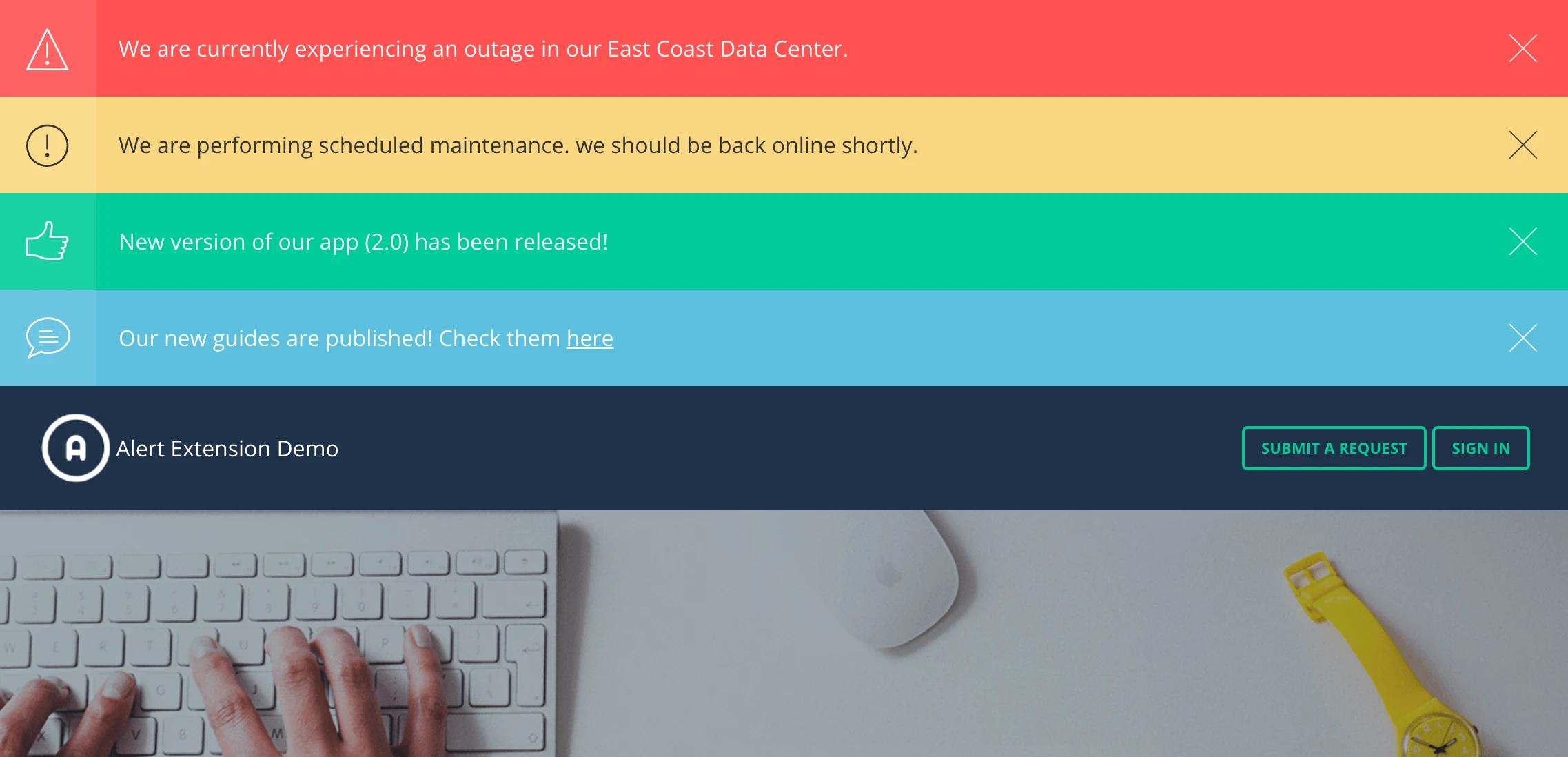
Notification banner is a simple and elegant way to let your Help Center users know about important things, like System Outages, Announcements, Releases, etc. Now you do not need to use coding, just place all necessary messages in your Help Center header or wherever you need using regular editing tools.
To place a banner you just need to create an article with a message and to mark it with a special tag. Zendesk API add-on will put the banner in the needed place and will edit it according to the mentioned tag.
By default, banners can consist of 4 pre-installed types of notifications:
- info,
- warning,
- danger,
- success
They have different colors and icons. If you like you can always add your own unique banner type.
After closing our Notification banners do not appear again.
The banners support multi-lingual feature of Zendesk. That is why users will get the notification translated to the language of their Help Center.
If necessary, Lotus Themes developers can edit the script so that banners will appear only for some groups of users or make any other customization that you will need.
Features
- Free installation;
- No coding required;
- Responsive and Retina-ready;
- Customization service available;
- Zendesk Guide plans: Growth, Professional, Enterprise;
- Compatible with all Zendesk themes, but if you don't use our theme, extra costs are involved.
Frequently Asked Questions
It is compatible with all themes. However, if you don't use one of our themes, extra costs are involved because it takes time to understand the code and install extensions. For example, some blocks in the code will have to be transferred, changed, etc.
Layouts in our themes already take into account the extension features and make the process faster and easier.
Our developers will contact you after the purchase to get temporary access to your Help Center (URL, login, and password) and install the extension free of charge.
Let’s see what
our customers say